Kawaii Planner Icon Pack: Enhancing Visual Workflow and Organization
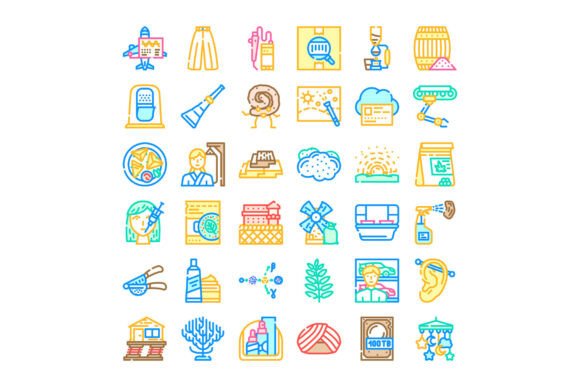
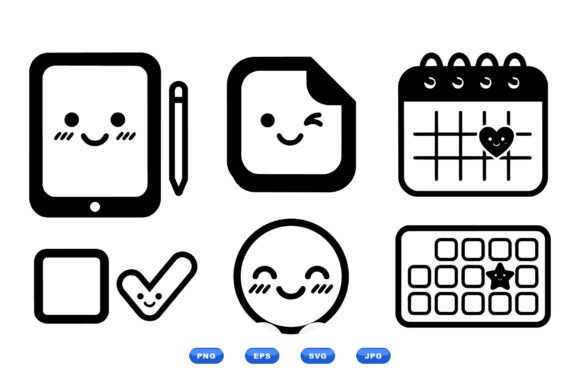
The Kawaii Planner Icon Pack is a downloadable set of 100 charming vector icons designed to bring a cheerful, approachable aesthetic to digital and print projects. Featuring smiling tablets, sticky notes, calendars, hearts, and stars, this icon set is ideal for professionals, creators, and entrepreneurs who want to infuse personality into their planning tools, apps, or content. With high-resolution SVG, PNG, JPG, and EPS file formats included, the pack offers flexibility for use across platforms and media.
Integrating Kawaii Planner Icons into Your Workflow
Visual elements play a crucial role in organizing thoughts, tracking progress, and communicating ideas effectively. The Kawaii Planner Icon Pack serves as a visual aid that can be integrated at various stages of a project or process. Whether you're preparing a content calendar, designing a productivity app, or creating a personal planner, these icons can help streamline your workflow while maintaining a friendly tone.
Before launching a new project, consider using the calendar and sticky note icons to map out timelines and action items. During the execution phase, the tablet and heart icons can be used to highlight key tools or team contributions. After project completion, these same icons can be repurposed in reports or dashboards to illustrate outcomes and next steps.
Compatibility and Cross-Platform Use
One of the standout features of the Kawaii Planner Icon Pack is its format versatility. The inclusion of SVG files ensures scalability without loss of quality, making them suitable for both high-resolution print and responsive web design. PNG and JPG formats allow for quick integration into presentations, social media graphics, or blog posts, while EPS files cater to vector-based editing workflows in Adobe Illustrator or similar software.
These icons work seamlessly with design tools like Figma, Canva, Sketch, and Photoshop, and can be embedded directly into HTML or CSS for web developers. For marketers and bloggers, the pack can be used to enhance email newsletters, infographics, and landing pages. Educators and content creators can incorporate the icons into slides, handouts, or digital planners to improve engagement and clarity.
Practical Use Cases Across Industries
- Productivity Apps: Use the sticky note and calendar icons to represent task lists and scheduling features in your app interface.
- Content Planning: Organize editorial calendars with heart icons to mark high-priority topics or star icons to flag trending content.
- Personal Branding: Incorporate the tablet and smiley icons into your portfolio or resume to reflect a creative and approachable style.
- Small Business Marketing: Use the icons in promotional materials, social media posts, and digital ads to add a playful touch that resonates with younger audiences.
- Education and Training: Design lesson plans, quizzes, or progress trackers using the planner and calendar icons to keep learners engaged.
Designing with Consistency and Clarity
When integrating the Kawaii Planner Icon Pack into your visual materials, consistency is key. Choose a limited set of icons per project to maintain visual harmony. For example, if you're designing a weekly planner, use only calendar, sticky note, and checkmark icons to avoid visual clutter.
Ensure that the icons align with the overall color scheme and tone of your project. The smiling and heart-based designs lend themselves well to pastel palettes and soft gradients, but they can also be stylized with bold colors or outlined in neutral tones for a more professional look. Always test icons at different sizes to confirm readability, especially for mobile or print use.
Efficiency in File Management and Reuse
The downloadable ZIP file contains all 100 icons in multiple formats, which simplifies asset organization. Create a dedicated folder in your project directory for SVG and PNG files, and label them clearly based on function (e.g., “calendar-icons,” “sticky-note-icons”). This structure makes it easier to locate and reuse assets across projects.
For teams or collaborative workflows, consider creating a shared asset library using tools like Dropbox, Google Drive, or Figma’s team library feature. This ensures that everyone on the team has access to the same icons and uses them consistently across documents and platforms.
Quality Control and Long-Term Use
Because the Kawaii Planner Icon Pack includes scalable vector formats, you can confidently use the icons across a wide range of applications without worrying about pixelation or loss of detail. However, it’s still important to conduct quality checks when exporting or embedding icons into final deliverables.
Before publishing a website or printed material, review how the icons render on different screens and in various lighting conditions. If you’re using them in a mobile app, ensure that they remain legible at smaller sizes and are accessible to users with visual impairments by maintaining sufficient contrast and spacing.
Customization and Creative Adaptation
While the icons are ready to use as-is, they can also be customized to match your brand or project style. With vector editing tools, you can recolor icons, adjust line thickness, or combine multiple icons to create composite graphics. For example, overlaying a heart icon with a calendar can visually represent “important dates” or “favorite events” in a planner app.
Consider creating themed variations of the icons for seasonal campaigns or special promotions. A summer-themed planner might feature icons with blue gradients and sun elements, while a holiday planner could use red and gold accents with snowflake overlays. These small customizations can significantly enhance user engagement and brand recognition.
Supporting a Cheerful and Productive Environment
Visual design has a direct impact on mood and motivation. The cheerful expressions and soft shapes in the Kawaii Planner Icon Pack are designed to make planning and organization feel less like a chore and more like a creative process. Whether you're setting personal goals, managing a team project, or building a digital product, these icons can help create a positive atmosphere that supports productivity and focus.
By thoughtfully integrating these icons into your tools and workflows, you not only improve visual clarity but also foster a sense of enjoyment in everyday tasks. This small but meaningful shift can lead to better engagement, more consistent use of planning systems, and ultimately, more successful outcomes across both personal and professional endeavors.